For Studios
One system for your whole studio.
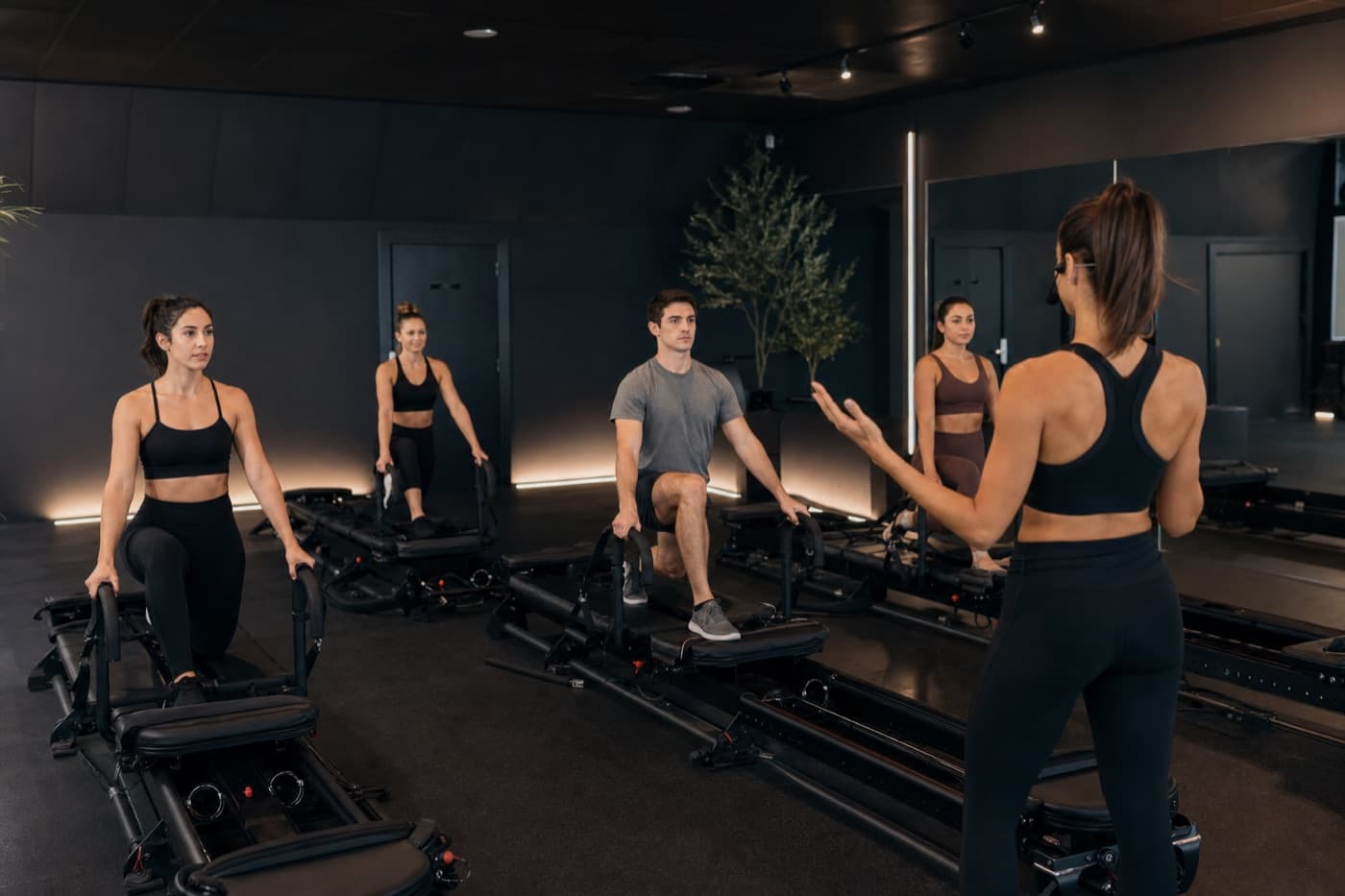
Scheduling, sub handoffs, session logs, and a shared exercise library — all connected. Built for boutique Pilates and Lagree studios where consistency in the room starts with consistency behind it.
Sound familiar?
Studio operations shouldn't live in your head.
Last-minute sub coverage managed entirely through text messages
Subs asking "where are the client notes?" five minutes before class
Every instructor operating from a completely different system
No idea what's actually being taught in your studio day to day
Clients asking "did you tell the other instructor about my knee?"
Client retention dropping because variety and personalisation aren't tracked
From booking to milestone — one connected day.
Clients manage bookings in the portal before class. They tap their name on the check-in kiosk when they arrive. After class, instructors log the session with attendees already selected — then milestones and feedback requests show up in the client portal automatically.
- —Magic-link portal — upcoming classes, credits or membership, cancel links, profile
- —Self check-in kiosk on your front-desk iPad
- —Session log pre-filled from check-ins — no manual “mark complete” step
- —Past bookings, milestones, and post-visit feedback in the client portal
Clients tell you the truth.
You fix what booking software never hears.
After every attended class or appointment, Hone asks for a star rating, an optional public review, or a private note to the studio. Clients can praise publicly and flag problems privately — without the awkwardness of saying it in the room.
Mindbody, Momence, and Acuity handle scheduling. Hone handles what happens after class — the part that actually drives retention.
- —Private notes are anonymous to other clients — only the studio owner sees them
- —Public star ratings and reviews appear on your booking page automatically
- —Post-visit emails and portal prompts — no instructor chasing, no mark-complete step
- —Booking platforms stop at the transaction — Hone closes the loop after every visit
Studio Features
Everything your team needs, nothing they don't.
SCHEDULING
One schedule. Every instructor on the same page.
Create and assign classes across your whole team from a single view. Instructors see only their own assignments; owners see everything. Date, time, plan, duration — all in one place.
No more WhatsApp threads to confirm who's teaching Thursday.
SUB HANDOFF
Subs walk in prepared, not guessing.
Any instructor can flag they need a sub. Hone notifies the rest of your team by email. Whoever claims it sees the full plan — exercise order, spring settings, client flags, and notes.
The client gets the same quality class regardless of who's teaching.
Sub coverage software →APPOINTMENTS
Private sessions, booked and tracked.
Define appointment types — name, duration, fee, credits required. Set instructor availability windows per day. Clients book directly from your public page; owners can block appointment slots during scheduled classes.
One place for group classes and one-on-ones alike.
BOOKING PAGE
Your studio, bookable online.
A public booking page at your own URL — embed it on your site or send the link directly. Clients see your schedule, appointment types, credit packs, and membership plans. Star ratings appear on the page when you collect public reviews. Share a separate check-in kiosk link for your front-desk iPad. New clients complete your custom intake form before their first booking.
No third-party booking tool. No monthly fee per student.
CREDIT PACKS & MEMBERSHIPS
Sell credits or memberships. Collect payment online.
Create credit packs with custom names, credit counts, and prices — or recurring membership plans (monthly or yearly, unlimited or a monthly visit cap). Connect Stripe to accept card payments directly on your booking page. Clients have packs or a membership, not both.
Intro packs, class-only scope, or recurring memberships — your studio's revenue, handled end to end.
CLIENT PORTAL & KIOSK
Clients manage bookings. Studios run check-in.
Clients open a magic-link portal to see upcoming classes, credit balance or membership status, and cancel links — same as email. At the studio, they tap their name on the check-in kiosk. After class, attendance, milestones, and feedback links show up in the portal automatically.
No app download required. Works on any phone or iPad.
CHECK-IN & SESSION LOG
Check in at the door. Log class in two taps.
Clients tap their name on the kiosk when they arrive — or staff check them in from the roster. After class, Log session pre-selects everyone who checked in. Add notes and milestones per client, then save — feedback opens automatically once the visit ends.
Every session is captured. Every client's history stays complete.
POLICIES
Cancellation and no-shows — on your terms.
Set a cancellation window clients must respect before class. Configure no-show rules per class or appointment — track only, deduct credits, or flag a fee for manual collection. Clients cancel from the portal or email link; credits refund automatically when they're in policy.
Waitlist spots promote automatically when someone cancels in time.
Class waitlist software →FEEDBACK & REVIEWS
Anonymous private feedback — plus public reviews on your booking page.
After attended classes and appointments, clients rate the visit, post an optional public review (shown on your booking page), or send a private note only the owner sees. No awkward conversations in the room. Post-visit emails go out automatically; clients can also respond from My bookings → Past.
Booking platforms stop at the transaction. Hone closes the loop — candid ops feedback and social proof in one place.
EXERCISE ALLOWLIST
Your studio's vocabulary, enforced.
Approve exactly which exercises appear in your instructors' libraries. New instructors teach from your curated repertoire — not whatever they learned at another studio.
Consistent methodology across every class, every instructor.
TEAM MANAGEMENT
Owner, instructor, sub — everyone in their lane.
Invite instructors by email. Assign roles: Owner, Instructor, or Sub. Remove access when someone leaves. Owners see all plans and the full schedule; instructors see their own work. No shared passwords, no chaos.
Designed for studios with 2 instructors or 20.
STUDIO PLAN LIBRARY
Every instructor's plans, one search away.
Browse all class plans across your studio — filter by instructor, discipline, or difficulty. Find a great flow from last quarter and reuse it today.
Your team's collective expertise becomes a shared asset.
Schedule, roster, and booking in one view
Your front desk and your instructors see the same week — who's teaching, which plan is loaded, and who's on the roster. No duplicate spreadsheets.
Getting started
Up and running in minutes.
Create your studio
Set a name, slug, and timezone. You're the owner — full access from day one.
Invite your team
Send invite links to instructors and subs. They join in one click, no separate accounts needed.
Build the schedule
Assign classes with plans, dates, and instructors. Set appointment types and availability. Everyone sees their day.
Open for bookings
Share your booking page link or embed it on your site. Clients book classes and appointments, buy credit packs or memberships, pay online, and complete your intake form.
Integrations
Connects to the tools you already use.
Hone works alongside your existing stack. Connect in minutes, with no technical setup required.
Google Calendar
Confirmed appointments appear on your calendar automatically. Cancellations remove them. Never double-book again.
Stripe
Accept credit card payments for class packs, memberships, and appointments directly on your booking page. Payouts go straight to your bank.
Zapier
Connect to 7,000+ apps. Add new clients to a CRM, send a Slack message on each booking, sync cancellations to a spreadsheet — no code needed.
Plans
Instructor or Studio?
Both plans start with a free 14-day trial. Cancel anytime.
Built for studios that take the craft seriously.
Start free. Your whole team, connected and equipped, in under ten minutes.
Get in touch
Let's talk about your studio.
We're a small team and we'd genuinely love to hear what you're working with. Fill this out and we'll reply within one business day — no sales script, just a conversation.
or, rather just dive in?